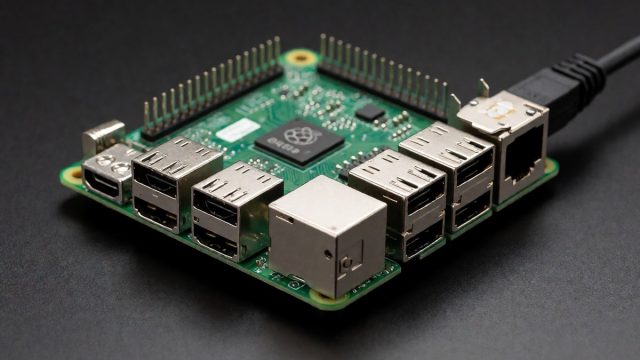
The architectural divide between Apache, Nginx, and LiteSpeed
LiteSpeed outperforms Apache and Nginx in high-load scenarios, using only 28 MB of memory compared to Nginx's 1 GB during heavy testing. LiteSpeed offers superior HTTP/3 throughput and server-level caching that bypasses PHP to improve WordPress performance.

I find the choice between Apache and Nginx often leads to technical debates when the real bottleneck remains the server architecture. Apache uses a multi-process model where a master process spawns a new process for every incoming HTTP request. This approach causes memory usage to rise during traffic spikes because each connection requires its own process. Nginx uses an event-driven architecture to manage thousands of connections with worker processes. LiteSpeed uses an event-driven model similar to Nginx but remains compatible with Apache configuration files like .htaccess. You know that migrating from Apache usually requires rewriting all your rules, but LiteSpeed reads those files directly. LiteSpeed also uses LSAPI for PHP, which keeps persistent PHP processes warm and cuts the per-request handshake. I see that Apache typically talks to PHP through PHP-FPM or mod_php, which creates a performance gap. As of June 2026, Apache holds 23.0% of tracked sites, while LiteSpeed holds 15.2%, a figure that grew from 2.1% in 2015.
Testing throughput and resource consumption
Benchmarks show a massive performance gap between these technologies under heavy load. In a 2025 test on identical hardware, LiteSpeed achieved 8,233 static requests per second, which beat Apache’s 7,508 requests. At a higher concurrency of 700 clients per second, Apache and Nginx failed to meet the load, with successful responses of only 8,118 and 7,115 respectively. LiteSpeed, however, served 1,114,793 successful responses without a single timeout. I observed that LiteSpeed handles nearly 100 times the workload at 50% the CPU cost compared to Apache or Nginx in specific high-load scenarios. In a test with 100 connections and 1,000,000 requests, Nginx used over 1 GB of memory, while OpenLiteSpeed used only 28 MB, which means a performance advantage of more than 4 times at 1/37th the cost.
The performance difference extends to new protocols like HTTP/3. In a test with 100 connections and 10 concurrent requests per connection, Nginx hit 100% CPU usage, while OpenLiteSpeed stayed at 45% CPU usage. OpenLiteSpeed was faster at 100 ms RTT and significantly faster at 20 ms and 10 ms RTT. At 200 mbps and 10 ms RTT, OpenLiteSpeed achieved 29,900 requests per second, while Nginx only achieved 7,180. I watched Nginx hit 100% CPU usage in a test with 100 connections and 1,000,000 requests, while OpenLiteSpeed stayed at 45% CPU usage even when the RTT dropped to 10 ms. I would skip Nginx if your site needs to handle high-bandwidth HTTP/3 traffic because Nginx throughput remains a fraction of LiteSpeed’s. In a test fetching a single 10 MB file with a shallow queue, Nginx performance degraded by more than 100%, whereas LiteSpeed performance only dropped 50%.
To decide if your server is the bottleneck, you can run a Cold-Cache Test. Request your homepage while logged out and record the time to first byte. Check the response headers for a cache hit, such as "x-litespeed-cache: hit". Request an uncacheable URL like a cart page and record the TTFB again. If the cached figure is quick and the uncacheables are slow, your bottleneck is PHP and the database rather than the web server.
Why server-level caching changes the WordPress experience
WordPress performance relies heavily on how the server handles caching. Most people use plugins like WP Rocket or WP Fastest Cache, but these tools exist at the PHP layer. A request still starts PHP and loads WordPress far enough to reach the plugin before the file is served. LiteSpeed Cache works at the server level and answers requests before WordPress even enters memory. This allows the server to serve a cached page without booting PHP or querying the database. LiteSpeed Cache includes Edge Side Includes (ESI), which lets you cache a page while leaving specific parts, like a cart total or a "logged in as" greeting, dynamic. LiteSpeed also supports tag-based purging to remove only affected pages when you edit a post.
| Feature | LiteSpeed Cache | WP Rocket |
|---|---|---|
| Price | Free | Paid subscription |
| Caching Type | Server-level | File-based/PHP-level |
| Compatibility | Optimized for LiteSpeed | All servers |
| Advanced Tools | ESI and tag-based purging | Database cleanup and CDN |
LiteSpeed Cache is a free plugin, while WP Rocket requires a yearly subscription starting at $59 for a single website. In my testing, LiteSpeed Cache on a LiteSpeed server achieved a 1.2 second load time, whereas WP Rocket on an Nginx server reached 1.5 seconds. I find that LiteSpeed Cache provides better results for eCommerce sites because it handles private caching for carts and checkouts more effectively than a standard plugin. If you are switching from WP Rocket to LiteSpeed Cache, you must remove WP Rocket first to avoid stale pages or conflicts in your .htaccess and wp-config.php files. I would skip the premium WP Rocket subscription if you have access to a LiteSpeed server since the LiteSpeed Cache plugin is free and provides image optimization and minification. Does the cost of a premium plugin like WP Rocket provide enough value to justify its price on a non-LiteSpeed server?

Technewsdaily
Senior tech writer covering AI, gadgets and cybersecurity. Breaking down the news that matters, every day.